Partial orders: several vendors on one job
Some jobs need more than one vendor. An enrollment mailer, for example: one printer prints the letter, another makes the envelopes, and a mail house inserts and mails them. In Intelliform Pro the main order (the master) is what the customer is quoted and invoiced for, and each other vendor's part is a Partial:
- A Partial has the same Ref # as its master and the status Partial.
- It holds only costs: no price, never invoiced to the customer.
- It prints its own PO (and RFQ) to its vendor, and can ship to another vendor, such as the mail house.
- Its cost can be added to the master's job cost, profit and margin.
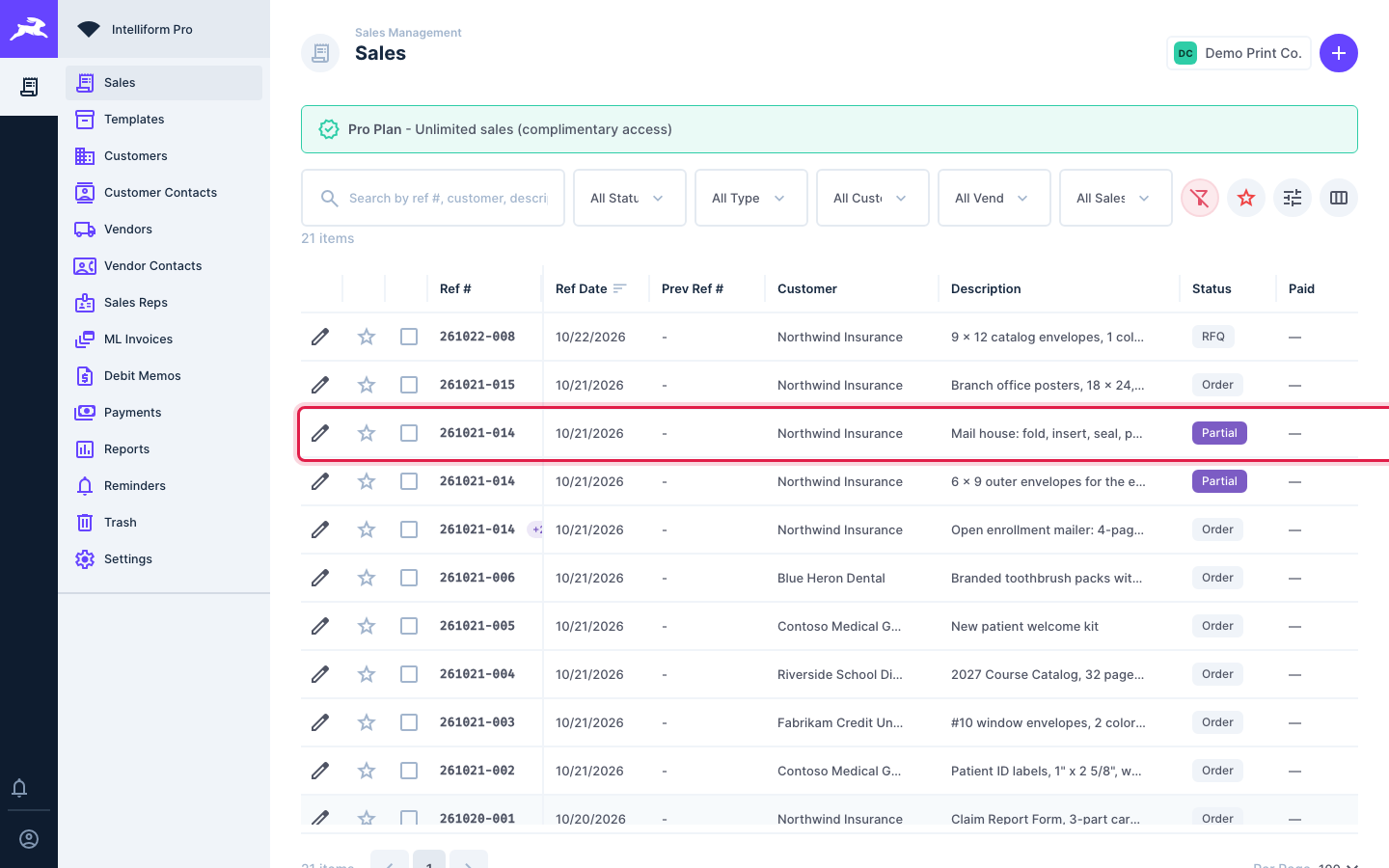
In the Sales list, Partials show a Partial status and share the master's Ref #:
See a job's Partials
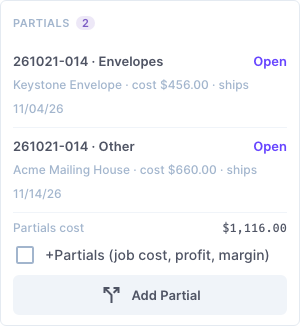
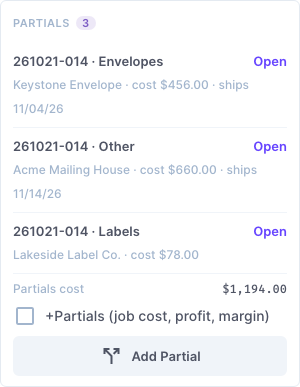
Open the master order. The Partials card on the right lists each Partial with its product type, vendor, cost and ship date, and the total Partials cost. Click Open to go to a Partial.
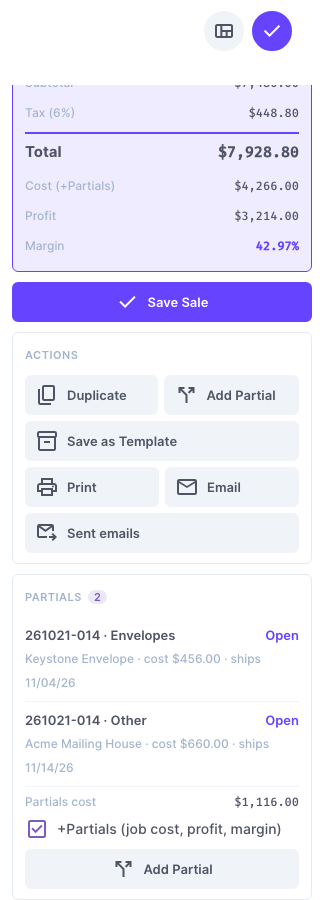
Tick +Partials (job cost, profit, margin) to include the Partials in the master's Order Summary: Cost (+Partials) then covers the whole job.
Add a Partial
-
Open the master order and click Add Partial (in the actions or on the Partials card).
-
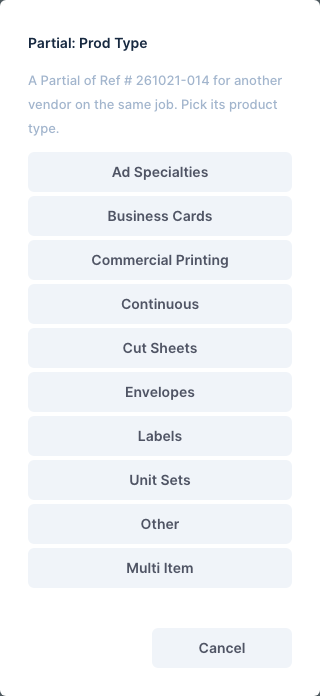
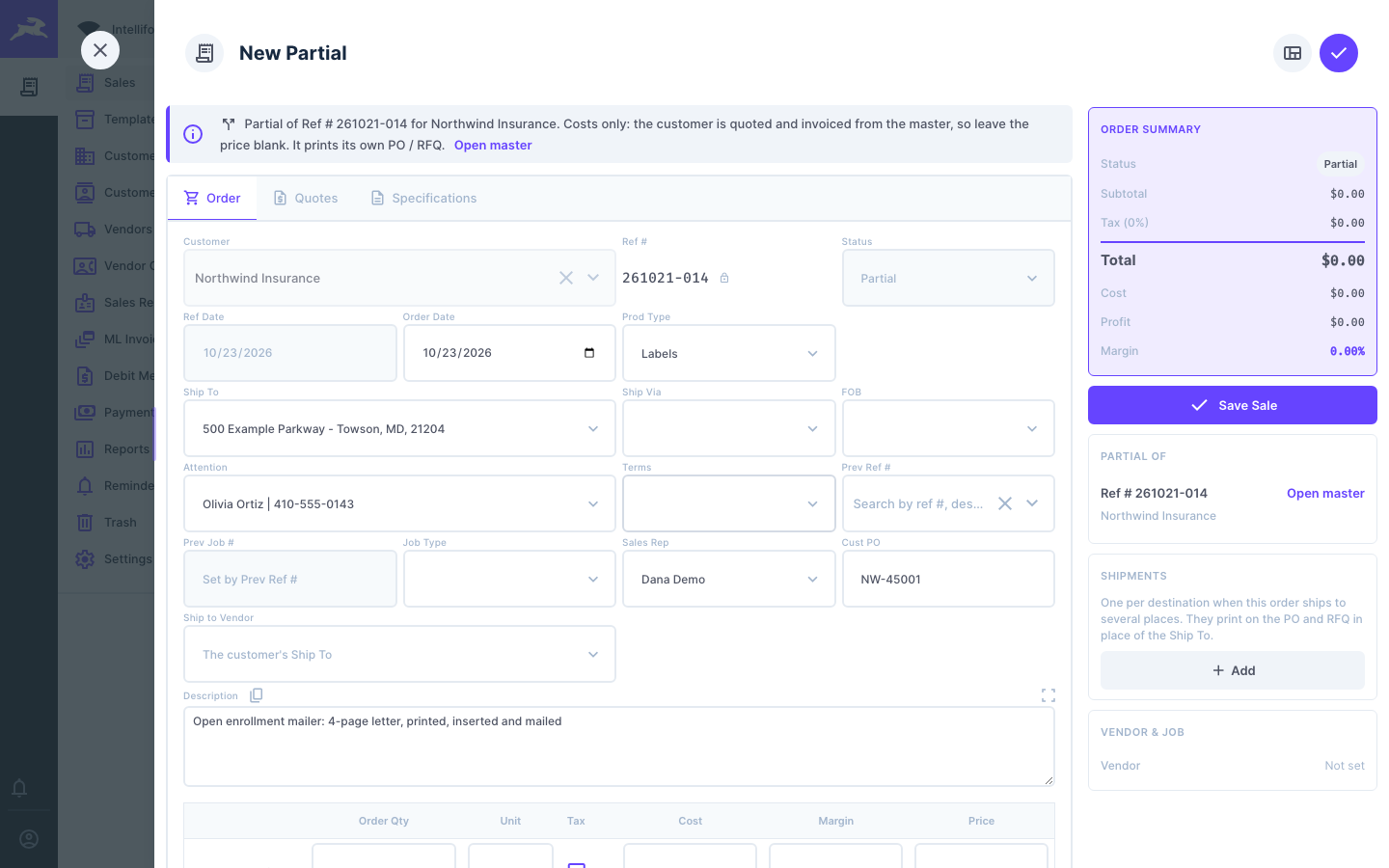
Pick the Partial's product type. It does not have to match the master's.
-
The new Partial opens with the master's Ref #, customer, contact, sales rep, description and customer PO already filled in. The blue note at the top says which order it belongs to.
-
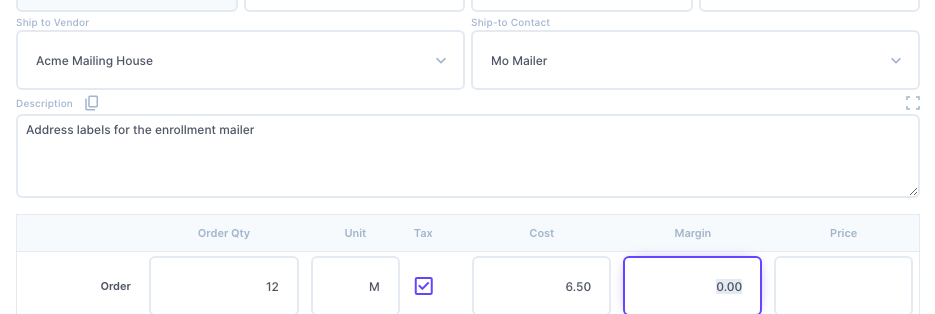
If this vendor ships to another vendor (for example the mail house), pick it in Ship to Vendor, and the person there in Ship-to Contact. Leave it blank to ship to the customer's Ship To.
-
Change the Description to this vendor's part, and enter the Order Qty, Unit and Cost. Leave the Price blank: the customer is billed from the master.
-
On the Quotes tab, pick the Vendor. Add the specifications on the Specifications tab.
-
Click Save Sale. The Partial now shows on the master's card:
Print the Partial's PO
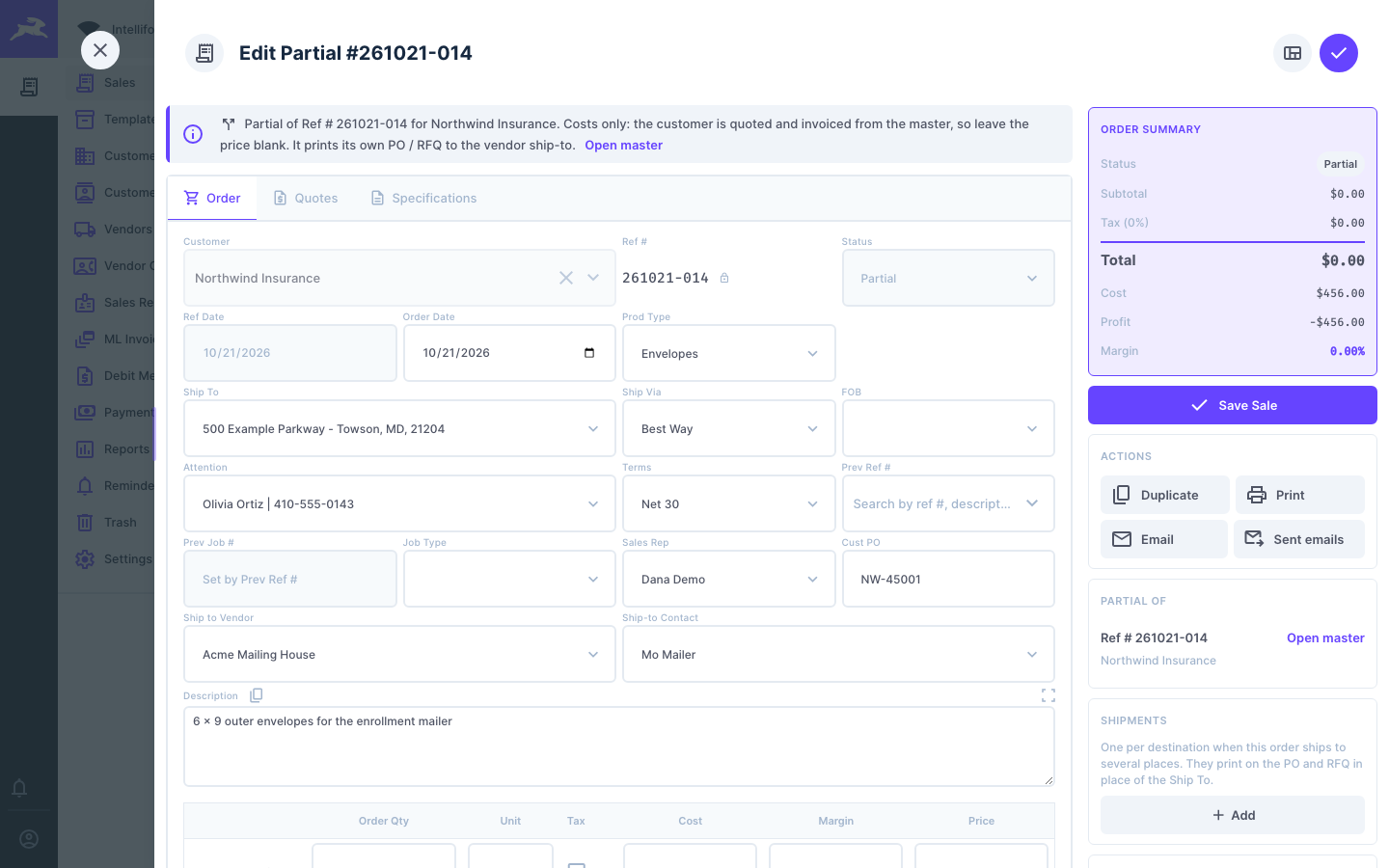
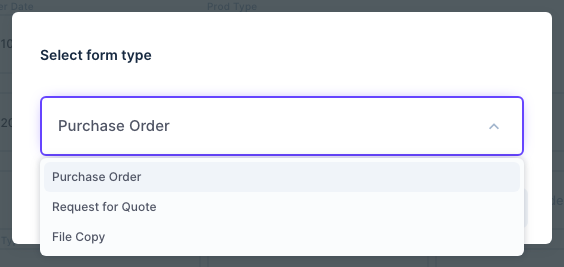
Open the Partial and click Print. A Partial offers only the vendor documents: Purchase Order, Request for Quote and File Copy. The PO goes to the Partial's vendor and ships to its Ship to Vendor.
Tips
- A Partial's Ref # and status are locked: they follow the master.
- Partials stay out of the customer's side: invoices, ML invoices, payments, statements and A/R.
- Partials can have their own split shipments.
- Vendor 2 on the pricing table is only an extra cost line with no PO. Use a Partial whenever the second vendor needs its own purchase order.